- Passports
- ID cards
- Private photos
Anyone holding your phone can scroll your camera roll. Only you can open Vaultstone.
Passport scans, ID cards and private photos sit between your screenshots and memes. Vaultstone seals each one on your iPhone, behind a pattern only you know.
- Free to start
- No account. No tracking.
- Works offline
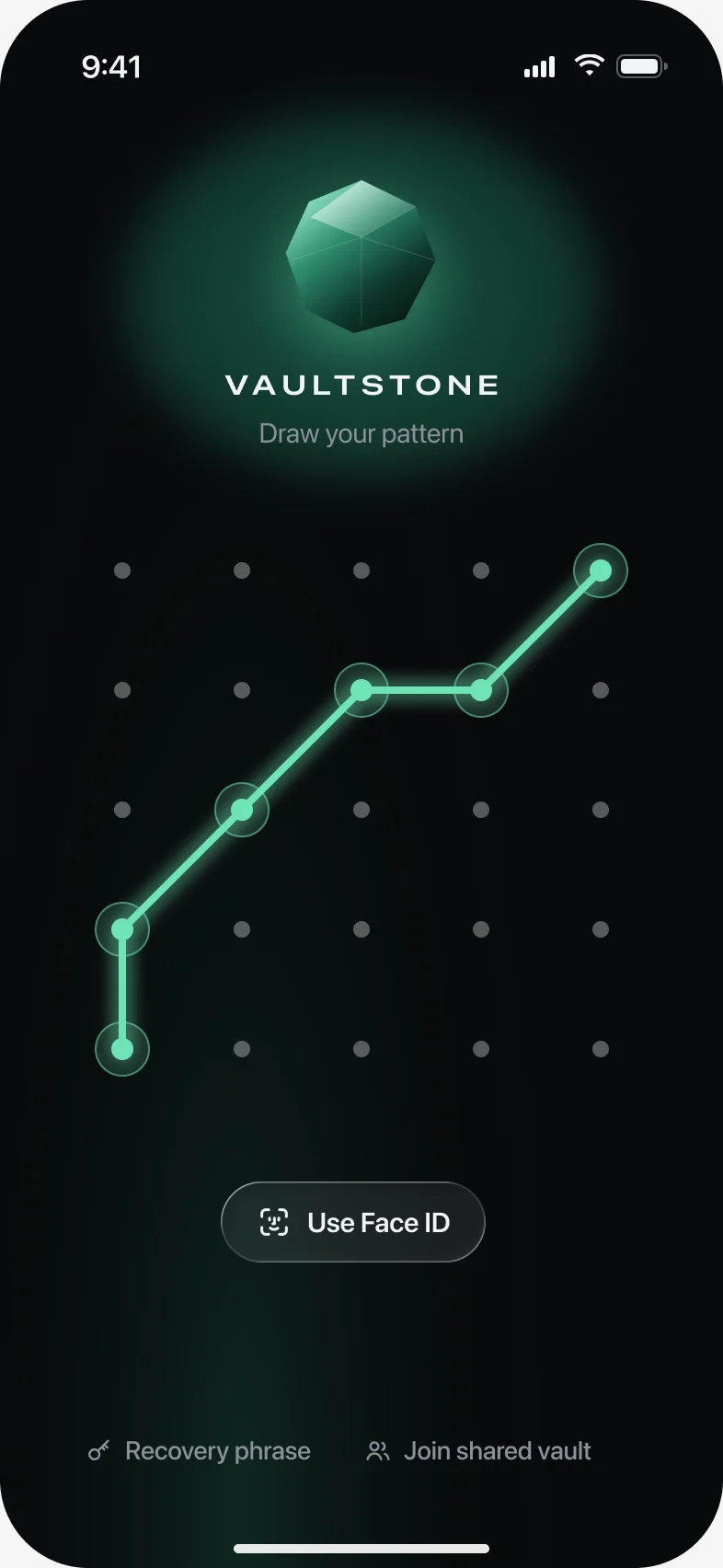
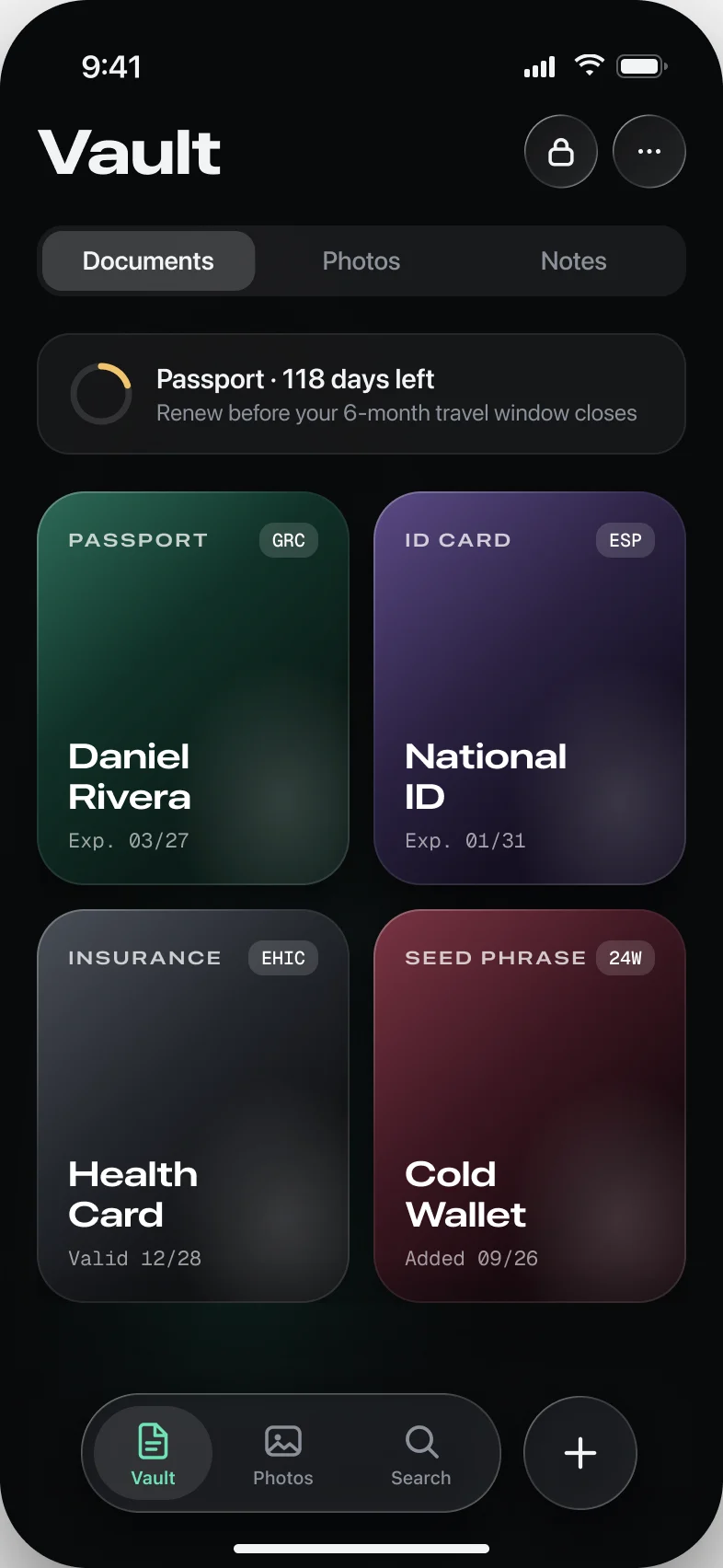
Keep your passport, ID cards, insurance cards and private photos in one place only you can open. Vaultstone for iPhone and iPad scans your documents, reads them, reminds you before they expire, and encrypts every file with AES-256-GCM before it's saved. You don't make an account, crash reports stay off unless you switch them on, and your files and keys never reach a server of ours.
Documents first
From paper to sealed in a minute.
- 01
Scan it
Point the camera at a passport, ID or card. The edges are found for you, front and back.
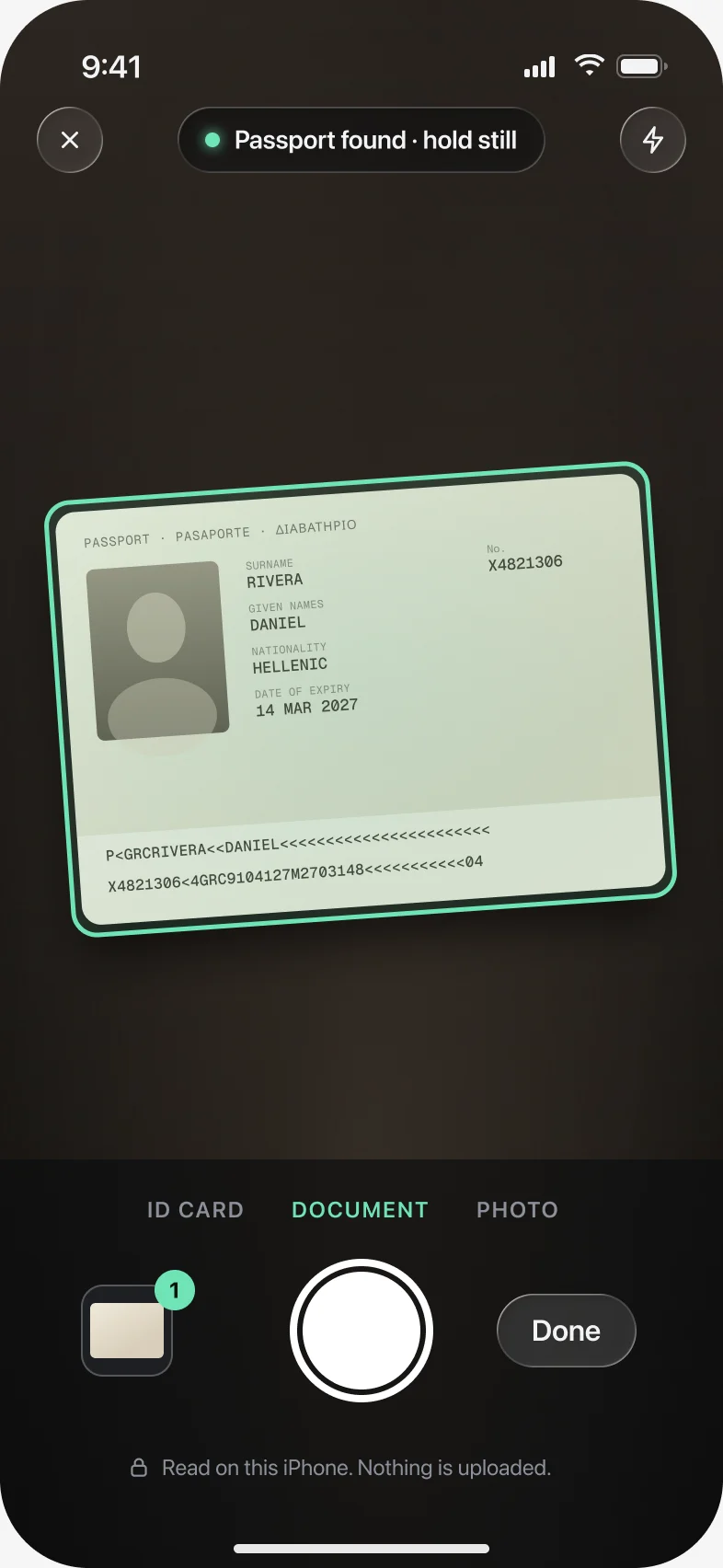
- 02
Check what it read
Names, numbers and the expiry date are read on your iPhone. Fix anything, then seal it in your vault.
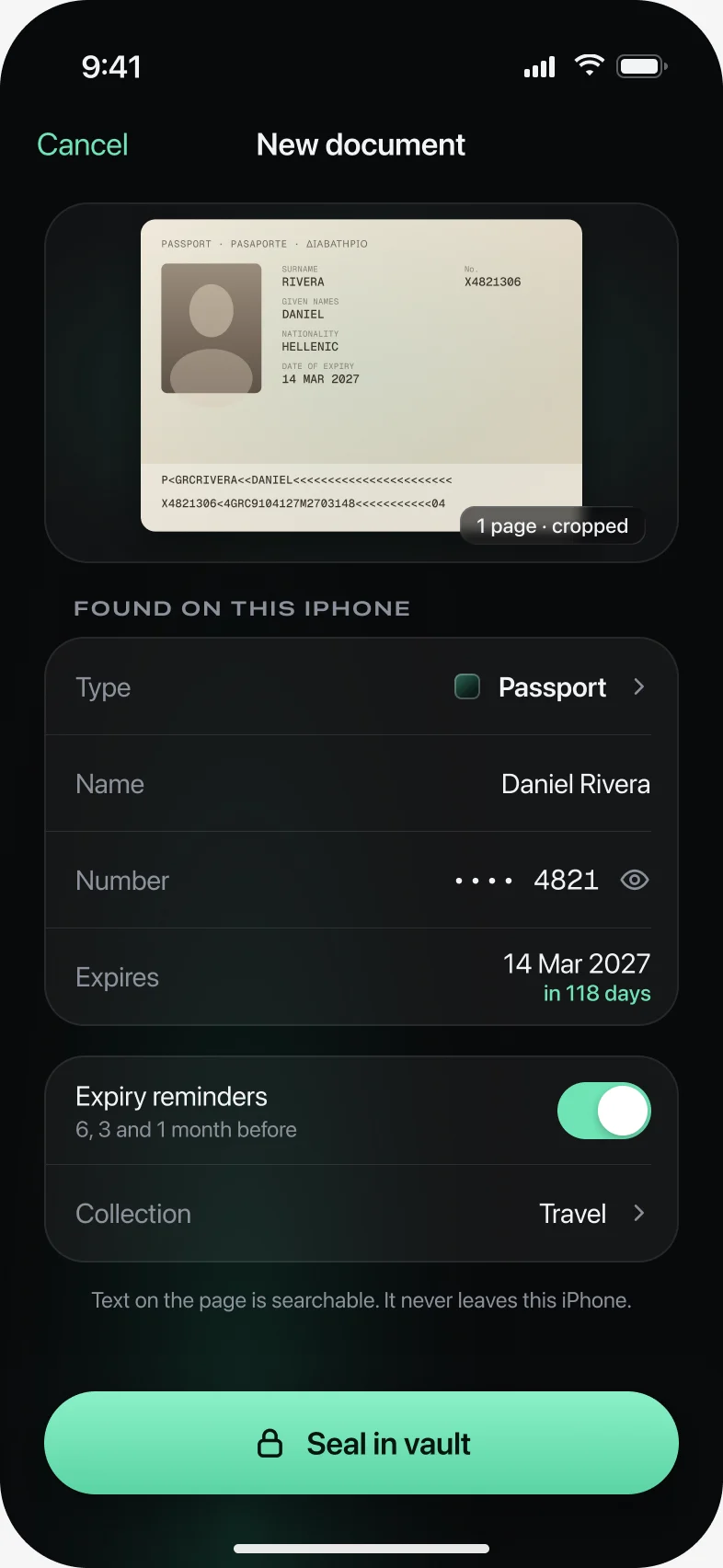
- 03
Hear about it before it expires
A reminder 6, 3 and 1 month ahead, so a renewal never surprises you at the airport.
Security, in plain words
Who can see your passport scan?
You
Everything.
With your pattern, or your 12 words on a new phone: the scan, its name, and the text the scanner read from it.
Apple, via iCloud
Sealed boxes.
How many records your backup has, roughly how big they are, and when they changed. Never a file, a name or a thumbnail.
Vaultstone
Nothing.
No account to look up and no server that receives your files or keys. Crash reports stay off unless you turn them on.
- AES-256-GCM
- a separate key for every file
- PBKDF2-SHA256 × 600,000
- 128-bit recovery phrase
For bad days
A second pattern for bad days.
Give someone the pattern to a vault that holds nothing that matters. Your other vaults don't appear anywhere in the app. Make it your duress pattern and opening it also clears the other vaults off the phone; they come back from your iCloud backup with your recovery phrase.
What we won't claim: a forensic copy of the app's storage can hint at how many vaults there are. It can't open any of them.
Compare
Locked isn't the same as encrypted.
vs Apple Hidden album
Hidden, behind Face ID, still in Photos.
vs Notes lock
Locks text and scans. No vaults, no expiry dates.
vs Vaultaire
Built for photos. We lead with documents.
vs Private Photo Vault
A photo vault. We're built around documents.
Questions people ask first
I forgot my pattern. Is everything gone?
No. Your 12-word recovery phrase opens the vault and lets you set a new pattern. Lose the phrase as well and the files can't be recovered by anyone, us included.
Is it safe to keep a photo of my passport on my phone?
In the Photos app it's one swipe away for anyone holding your unlocked phone, and it syncs to iCloud Photos, where Apple holds the keys unless you've turned on Advanced Data Protection. In Vaultstone it's encrypted on your iPhone first.
What happens to my files if I delete the app?
If iCloud backup is on, reinstall and enter your recovery phrase to bring everything back. Deleting the app doesn't cancel a subscription.
Will my documents open abroad with no signal?
Yes. Everything lives on your iPhone; iCloud is only the backup.
Can someone screenshot my vault?
Screenshots and screen recordings of the app come out black. Nothing stops someone photographing the screen with another phone.
Don't lose what you can't replace.